
 Tiếng Việt
 Home
Home Introduction
 Announcements
 Student Essential
 Event attendance lists
GUIDELINES FOR STUDENTS TO CHECK AND
UPDATE NEW ADMINISTRATIVE ADDRESSES AFTER MERGER
CHECKING PERSONAL INFORMATION
- Step 1: Log into the learner portal
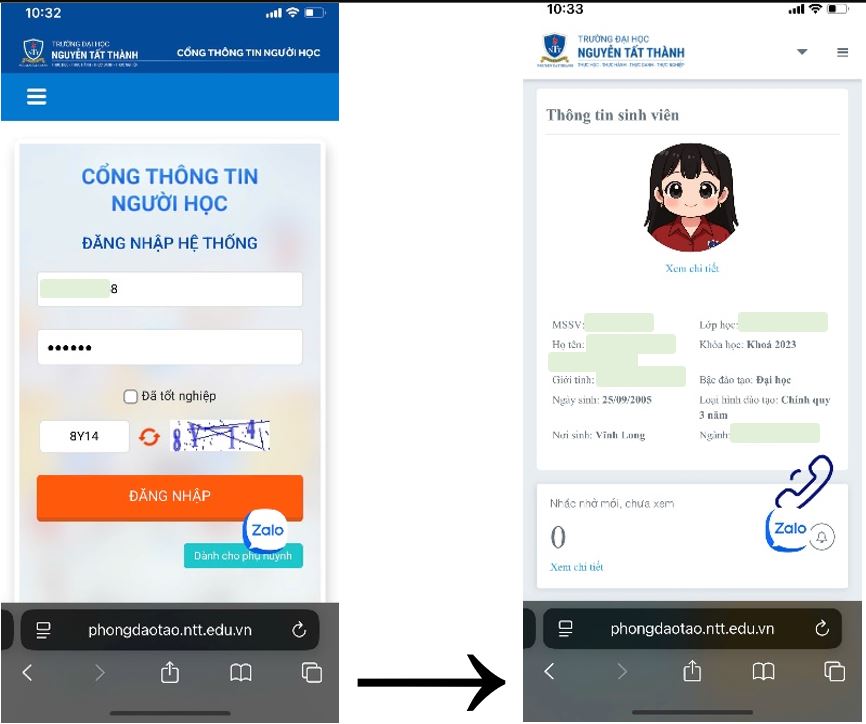
- Step 2: Select General Information → Student Information.
Student information that needs to be checked includes: Permanent address (according to the permanent residence information shown on the electronic Citizen ID card – VNeID); Place of birth (only write the Province or Municipality directly under the central government after the merger); Current contact address (where the student is currently living and studying)…
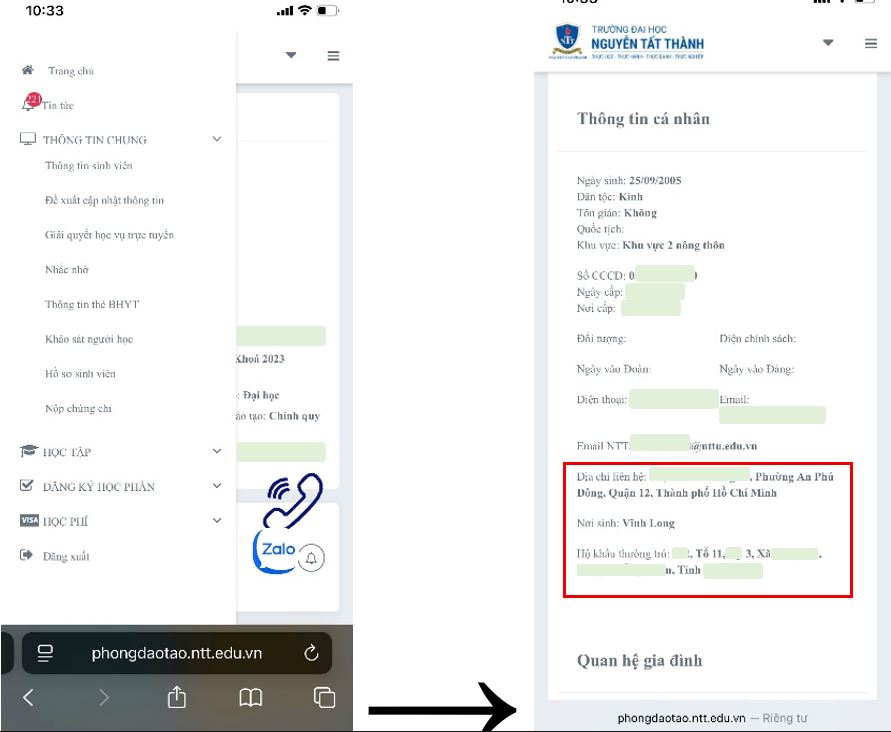
IF THE ABOVE INFORMATION IS INCORRECT, STUDENTS SHALL PROCEED TO PROPOSE INFORMATION ADJUSTMENTS
- Step 1: Take a screenshot of your electronic Citizen ID card on VNeID
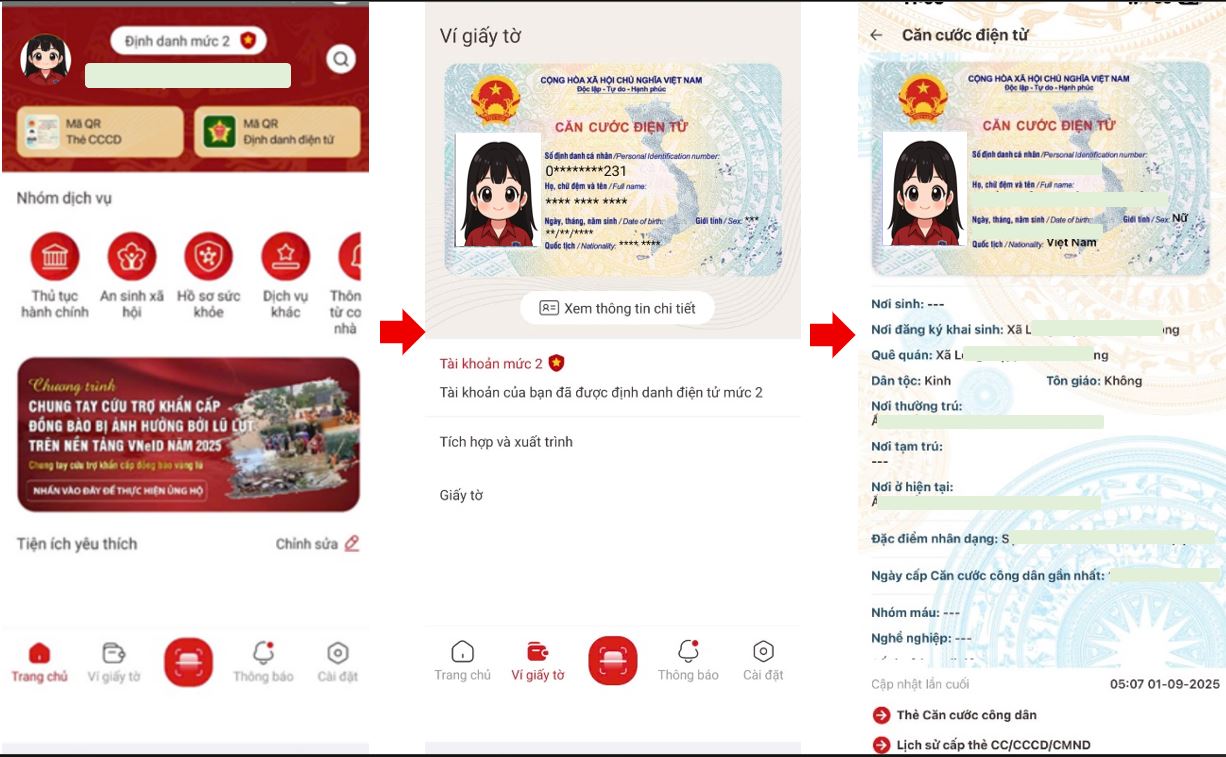
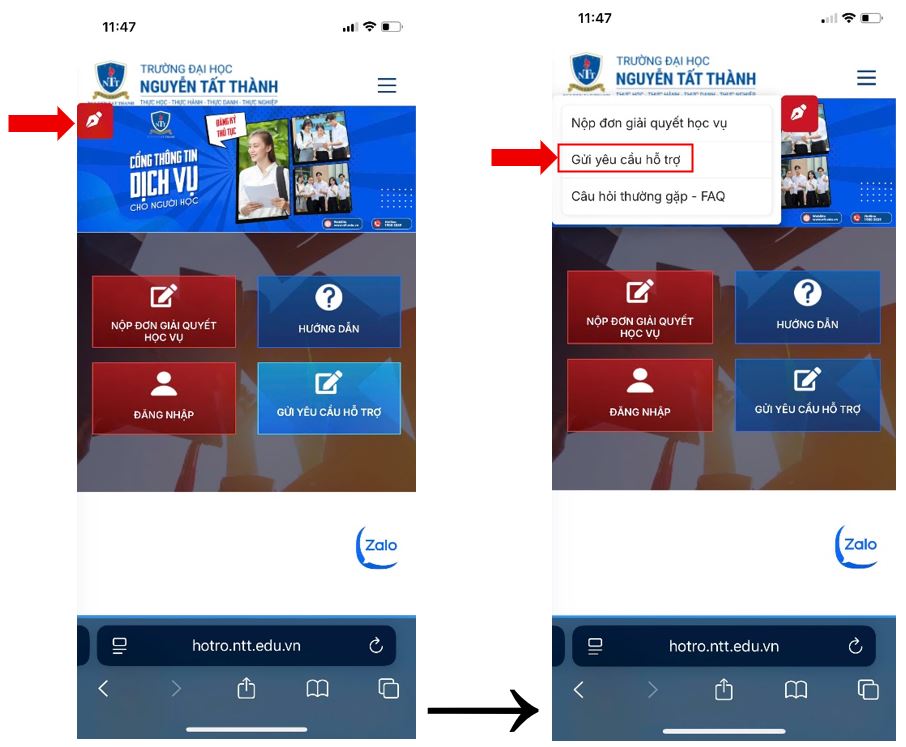
- Step 2: Access the page https://hotro.ntt.edu.vn/
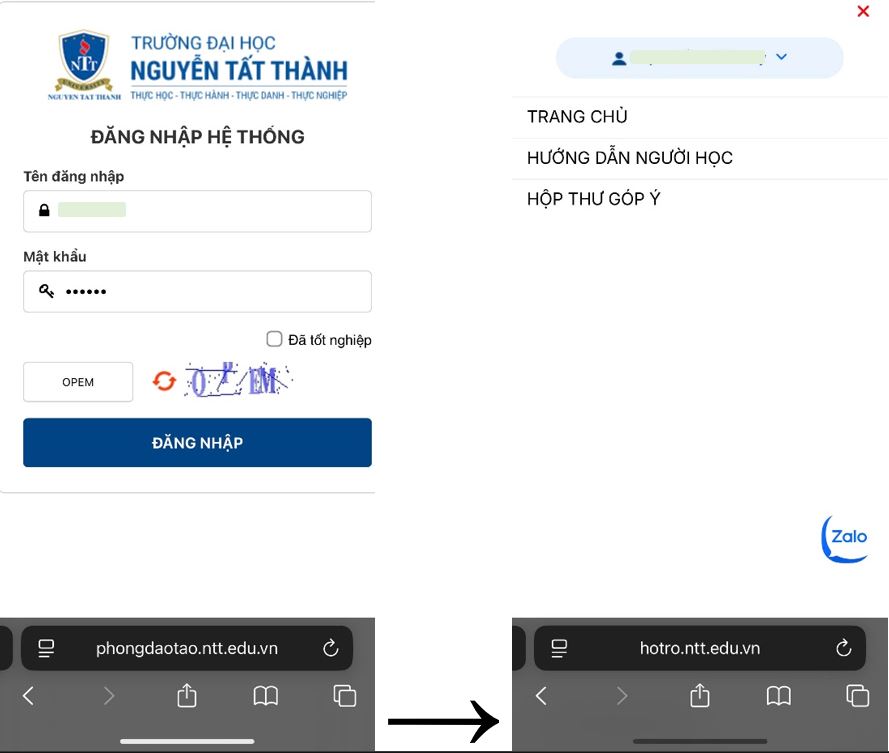
- Step 3: Log in with your student account (the same as the login account for the website https://phongdaotao.ntt.edu.vn/sinh-vien-dang-nhap.html)
- Step 4: Create a Support Request and enter all the information that needs to be updated. Please ensure correct spelling and capitalize proper names/locations appropriately.
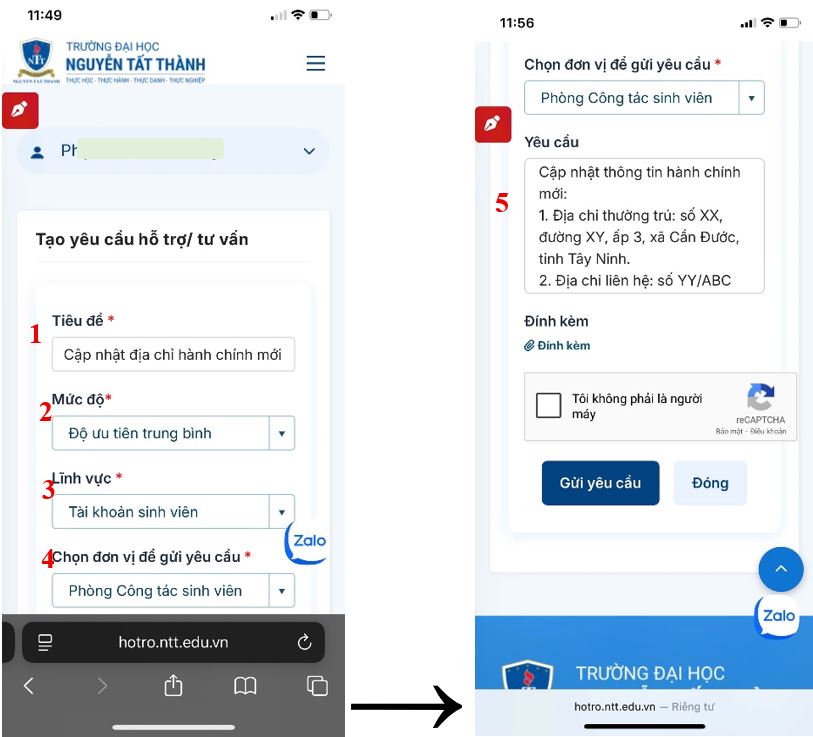
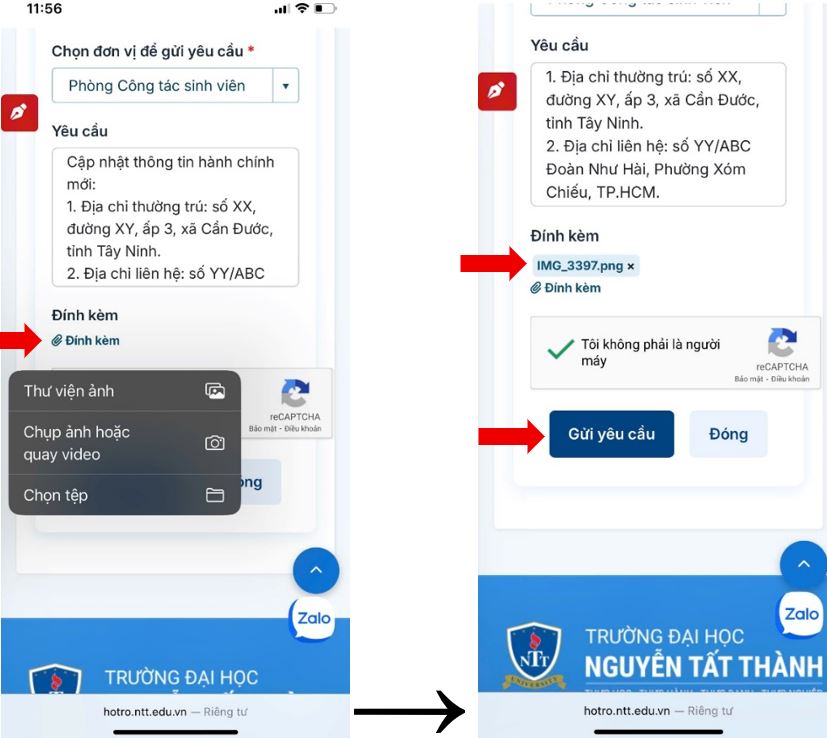
- Step 5: Attach the supporting evidence image.
For example: to update the permanent address, attach a screenshot of the electronic Citizen ID card on VNeID; to update the place of birth, attach a photo of the Birth Certificate.
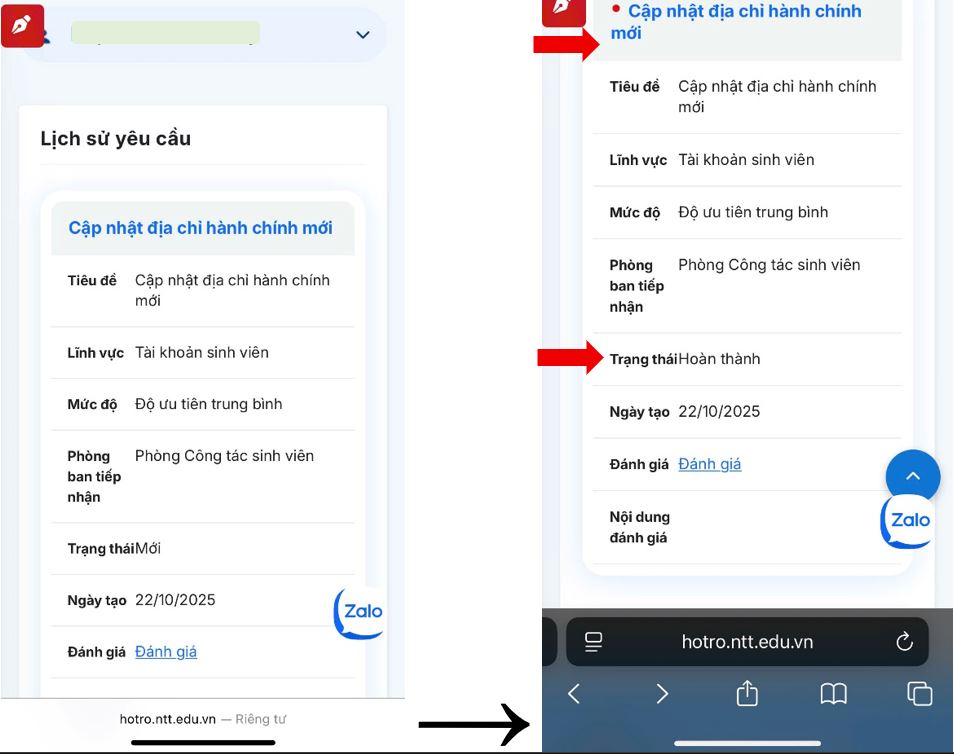
- Step 6: Monitor the feedback results and updates from the officer in charge.
In case of an emergency, you can directly contact the Student Affairs Department for discussion and quicker assistance. Contact Email: ctsv@ntt.edu.vn or call the hotline 1900 2039 – press 325 during office hours.